28+ Industriestandaardfuncties
Qhub360 Is Built Around How Teams Actually Operate Day To Day. From Shift Planning And Time Tracking To Approvals And Communication, Every Feature Is Designed To Reduce Confusion, Prevent Last-minute Issues, And Keep Managers And Employees Aligned. No Unnecessary Complexity. Just Tools That Help Work Get Done On Time, With Fewer Mistakes And Less Back And Forth.
Wat Wij Bieden:
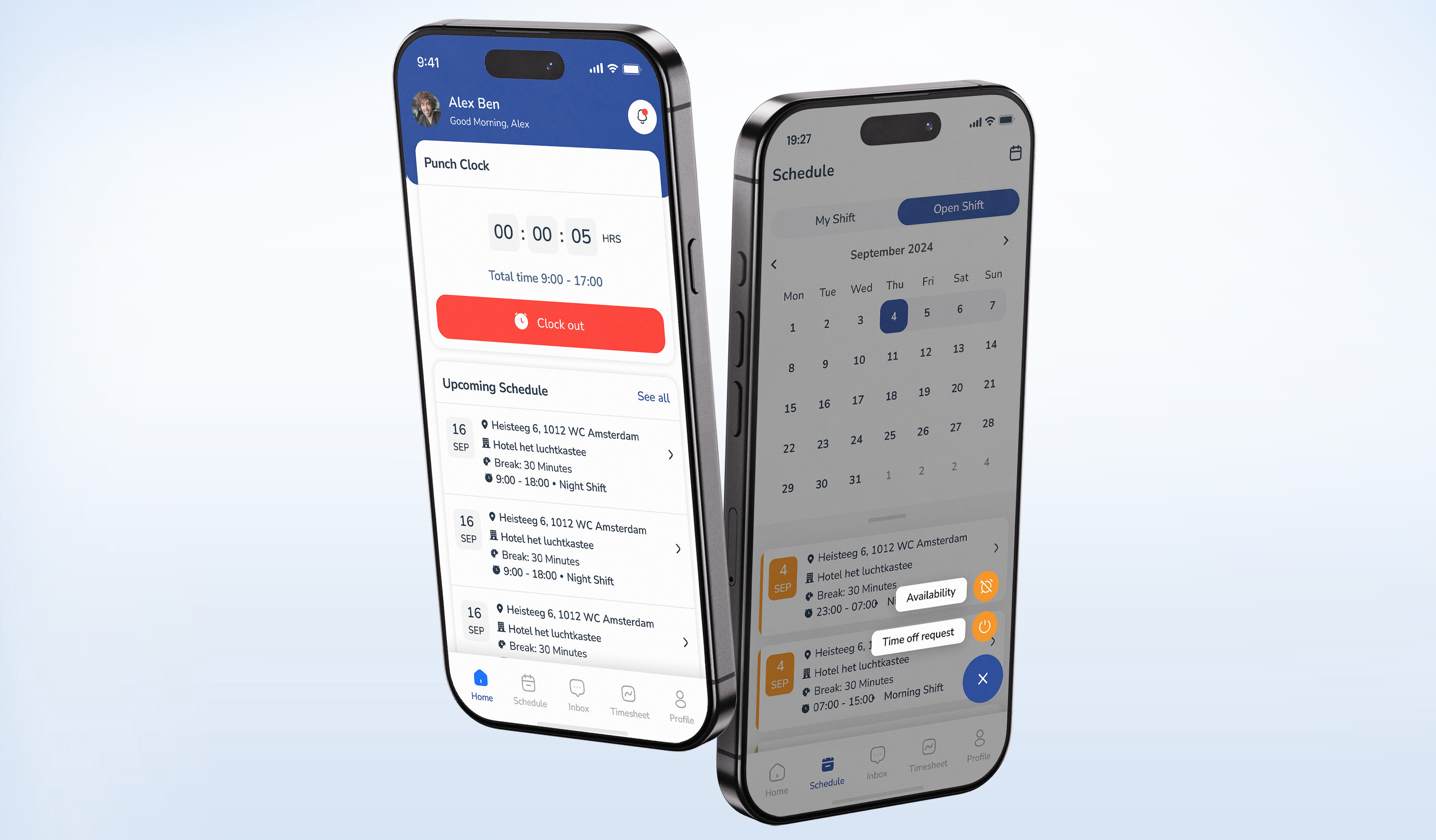
Moderne IOS- En Android-apps
Qhub360 Is Available On Both IOS And Android, Giving Managers, And Employees Full Access Wherever Work Happens. Teams Can Clock In And Out, View Schedules, Request Shifts, Approve Changes, And Stay Connected In Real Time From Their Phones. It Is Built For Speed, Simplicity, And Reliability So Daily Workforce Tasks Get Done Without Friction, Whether You Are On Site Or On The Move.
Meer Informatie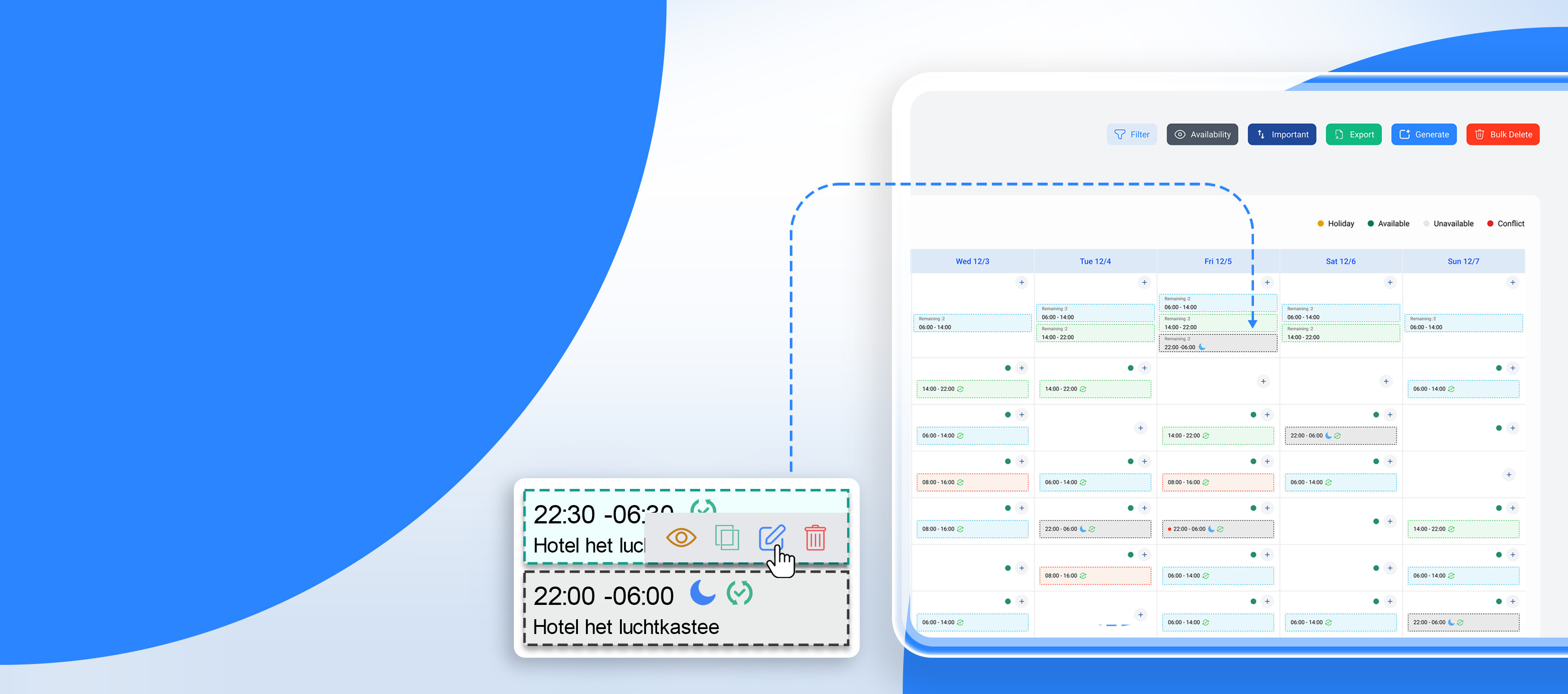
Automatisch Gegenereerde Verschuiving
Qhub360 Automatic Shift Generation And Management Simplifies Scheduling By Creating Optimized Shifts Based On Availability, Roles, And Business Needs. Managers Can Generate Schedules In Seconds, Make Quick Adjustments, And Handle Changes Without Disruption. It Reduces Manual Planning, Avoids Conflicts, And Ensures The Right People Are Assigned At The Right Time, Keeping Daily Operations Smooth And Predictable.
Meer Informatie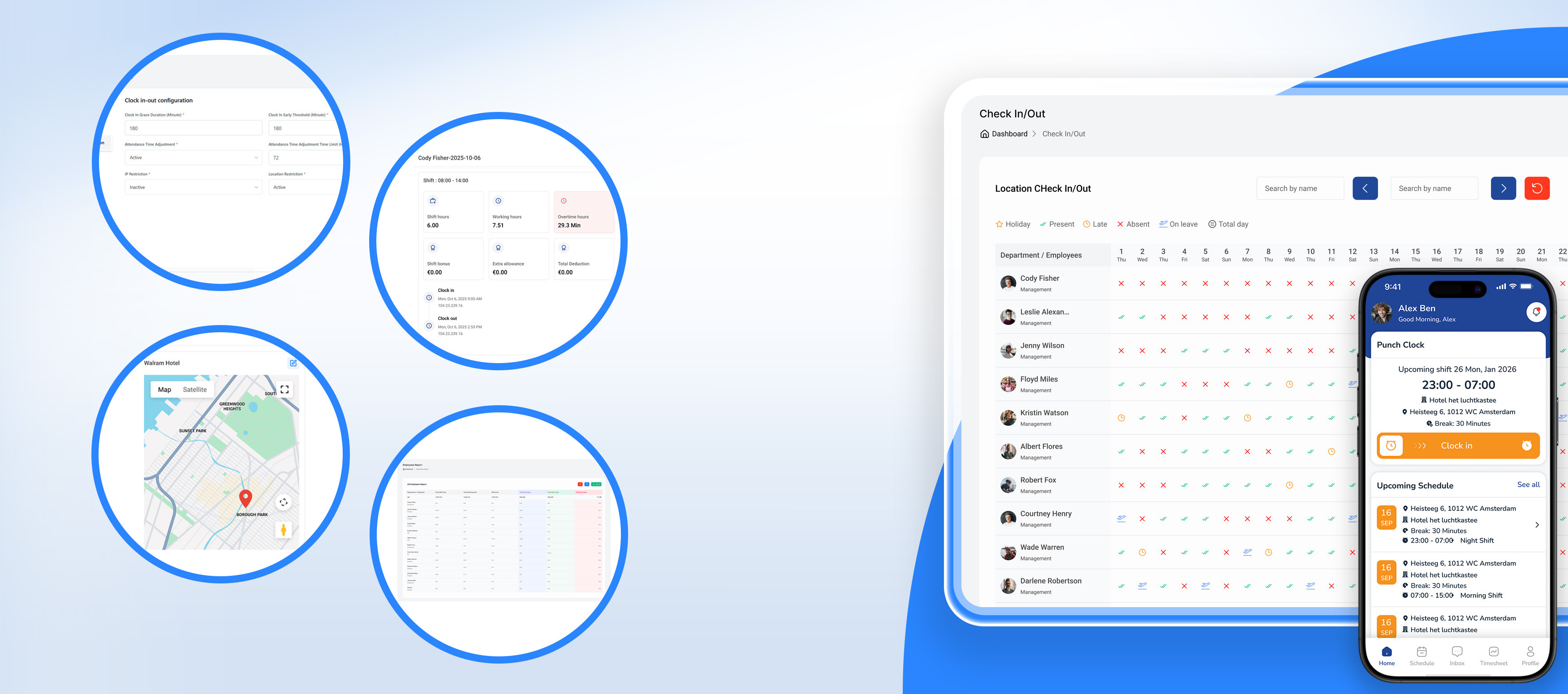
Tijd- En Aanwezigheidsregistratie
Qhub360 Time And Attendance Tracking Gives Businesses A Clear And Accurate View Of Employee Working Hours. Employees Can Clock In And Out Easily, While Managers Track Attendance In Real Time And Prevent Time Disputes Before They Start. It Reduces Manual Corrections, Improves Payroll Accuracy, And Ensures Every Worked Hour Is Recorded With Confidence.
Meer Informatie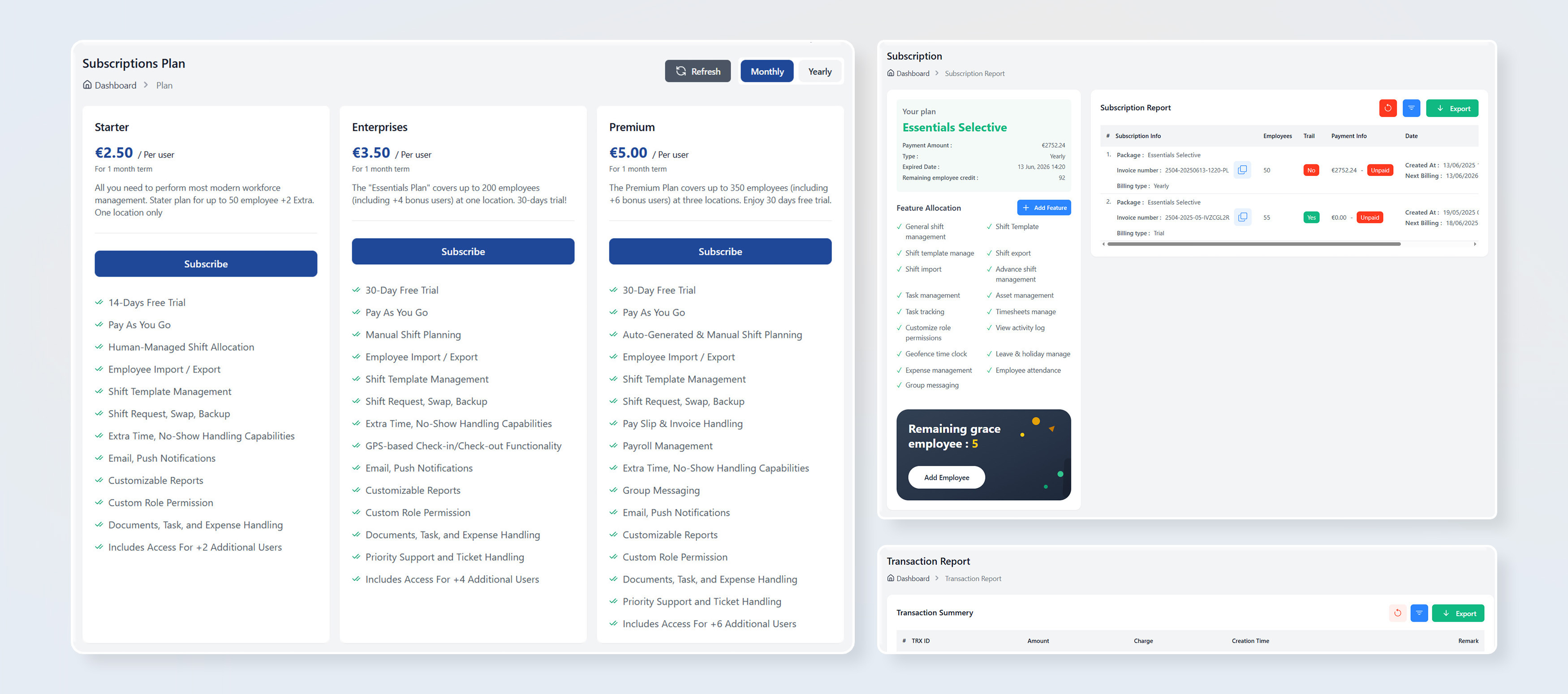
Abonnementenbeheer
Qhub360 Subscription Management Makes It Easy To Manage Plans, Users, And Billing From One Place. Businesses Can Upgrade, Downgrade, Or Adjust Subscriptions As Teams Grow Or Change. It Provides Clear Visibility Into Usage And Costs, Helping Organizations Stay Flexible And In Control Of Their Workforce Software.
Meer Informatie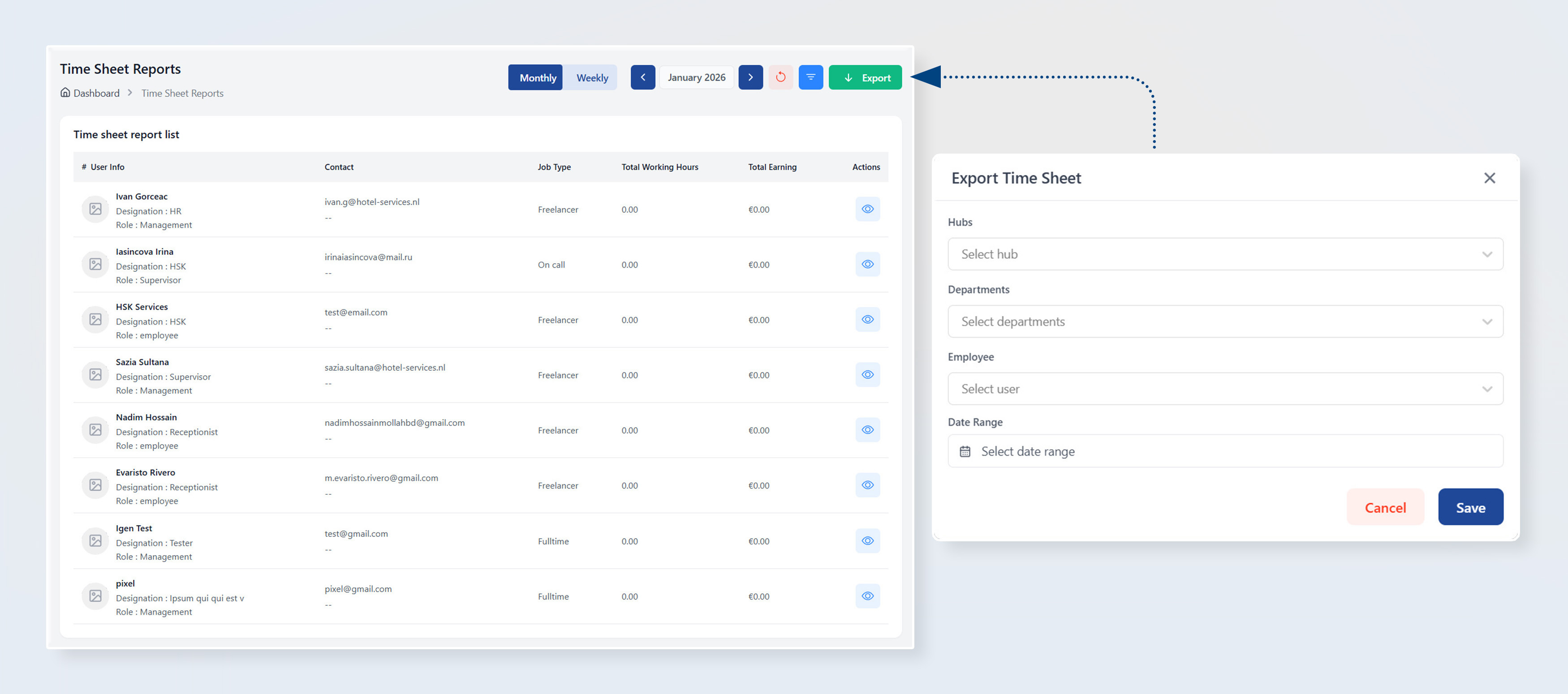
Rapporten En Volgen
Qhub360 Reports And Tracking Provide Clear Insights Into Workforce Activity And Performance. Managers Can Track Working Hours, Attendance, Shifts, And Operational Trends In One Place. It Supports Better Decision-making, Improves Accountability, And Helps Businesses Stay In Control Of Daily And Long-term Operations.
Meer Informatie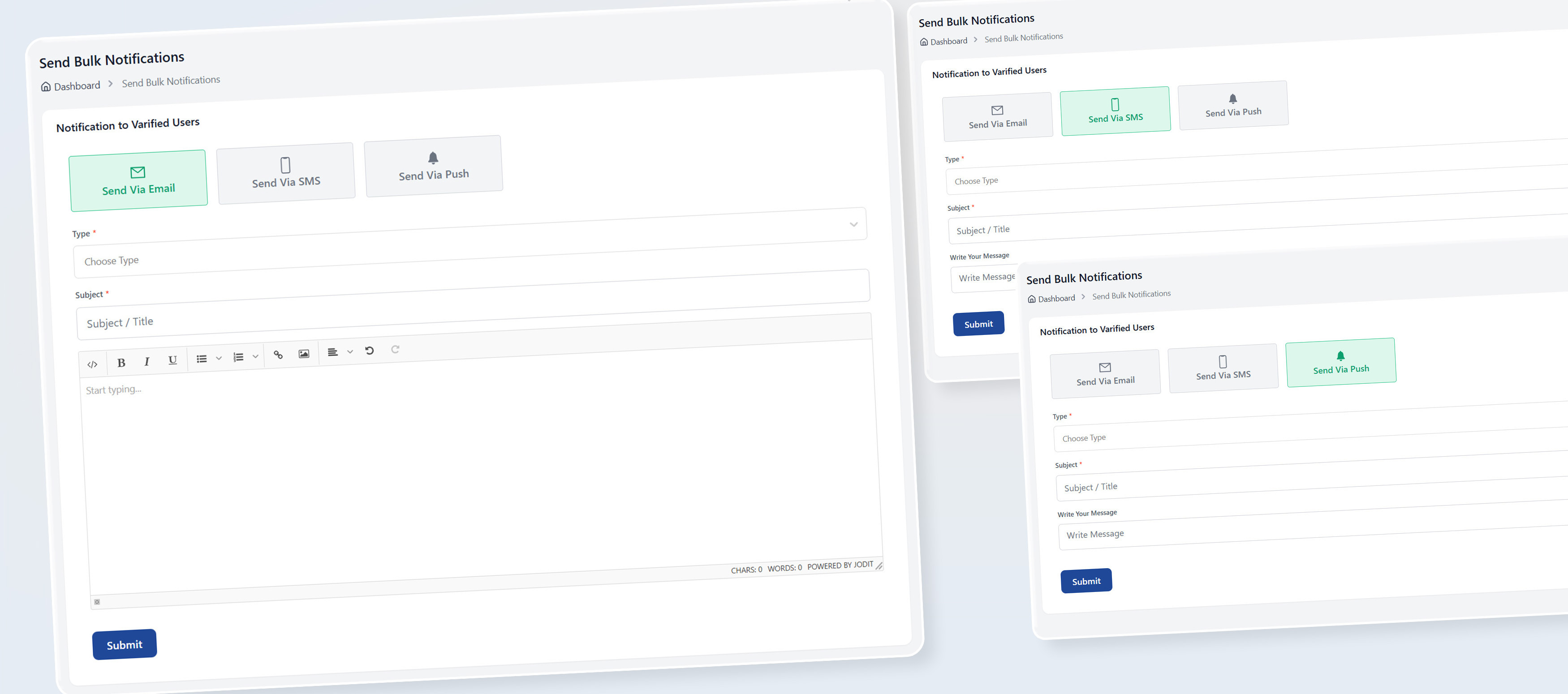
Meldingenbeheer
Qhub360 Notifications Management Keeps Everyone Informed With Timely And Relevant Updates. From Shift Changes And Approvals To Important Announcements, Notifications Are Delivered Instantly And Clearly. It Helps Reduce Missed Messages, Avoids Confusion, And Ensures Teams Always Know What’s Happening In Real Time.
Meer Informatie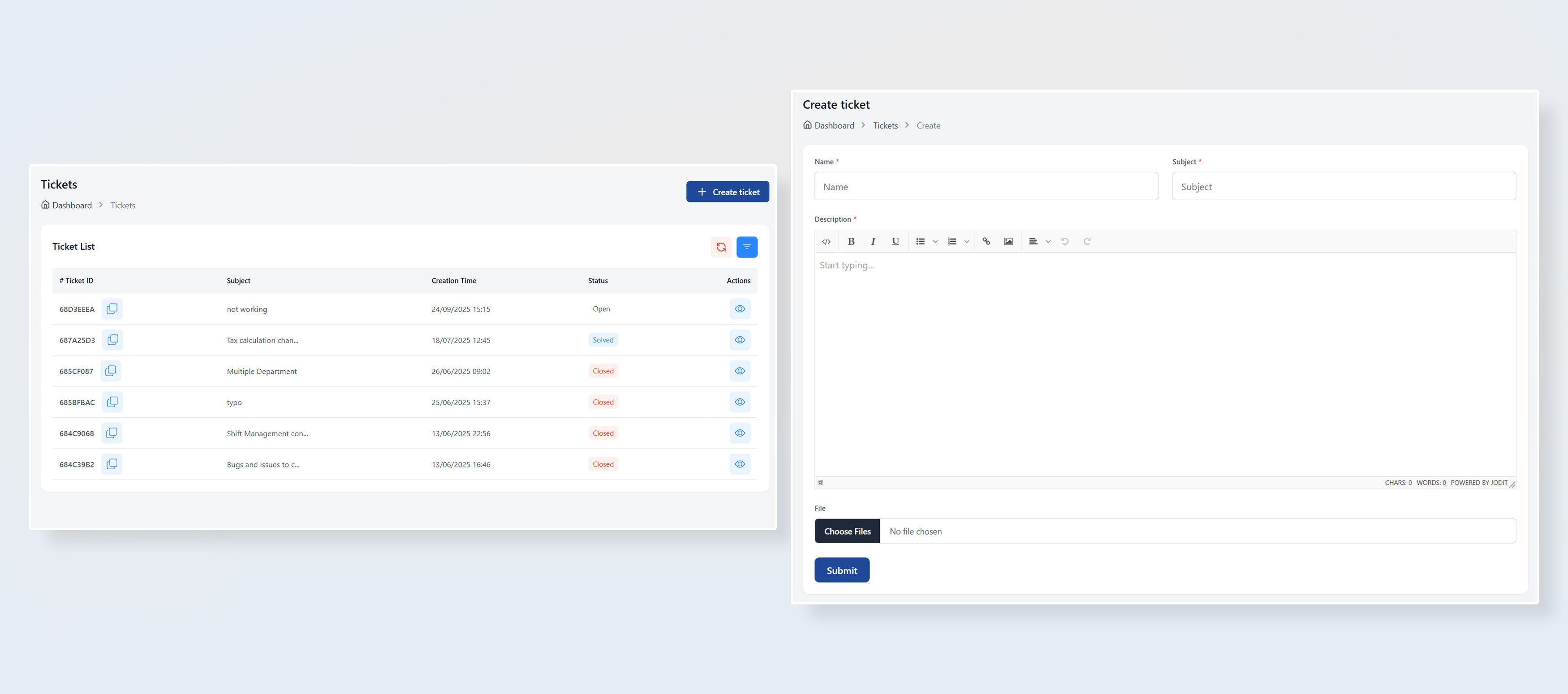
Ondersteuningstickets
Qhub360 Support Tickets Provide A Simple Way For Employees And Managers To Report Issues, Ask Questions, And Track Requests In One Place. Tickets Are Clearly Logged, Prioritized, And Followed Up, Ensuring Problems Are Resolved Faster And Nothing Gets Lost. It Improves Communication, Accountability, And Overall Operational Support.
Meer Informatie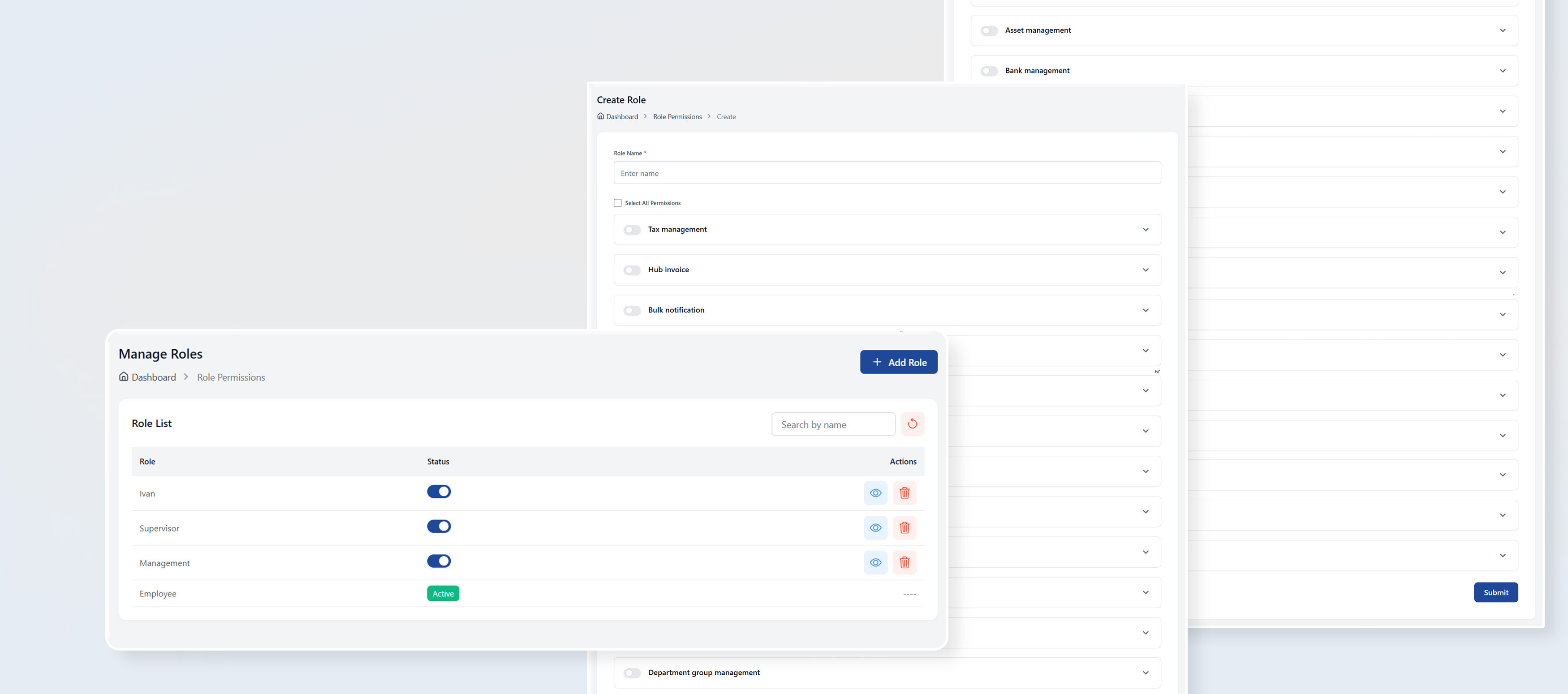
Dynamische Rolmachtigingen
Qhub360 Dynamic Role Permissions Give Businesses Flexible Control Over What Each User Can See And Do. Access Rights Can Be Adjusted By Role, Responsibility, Or Team, Ensuring Employees Only Access What They Need. It Improves Security, Reduces Mistakes, And Keeps Workflows Clear As Teams Grow Or Change.
Meer Informatie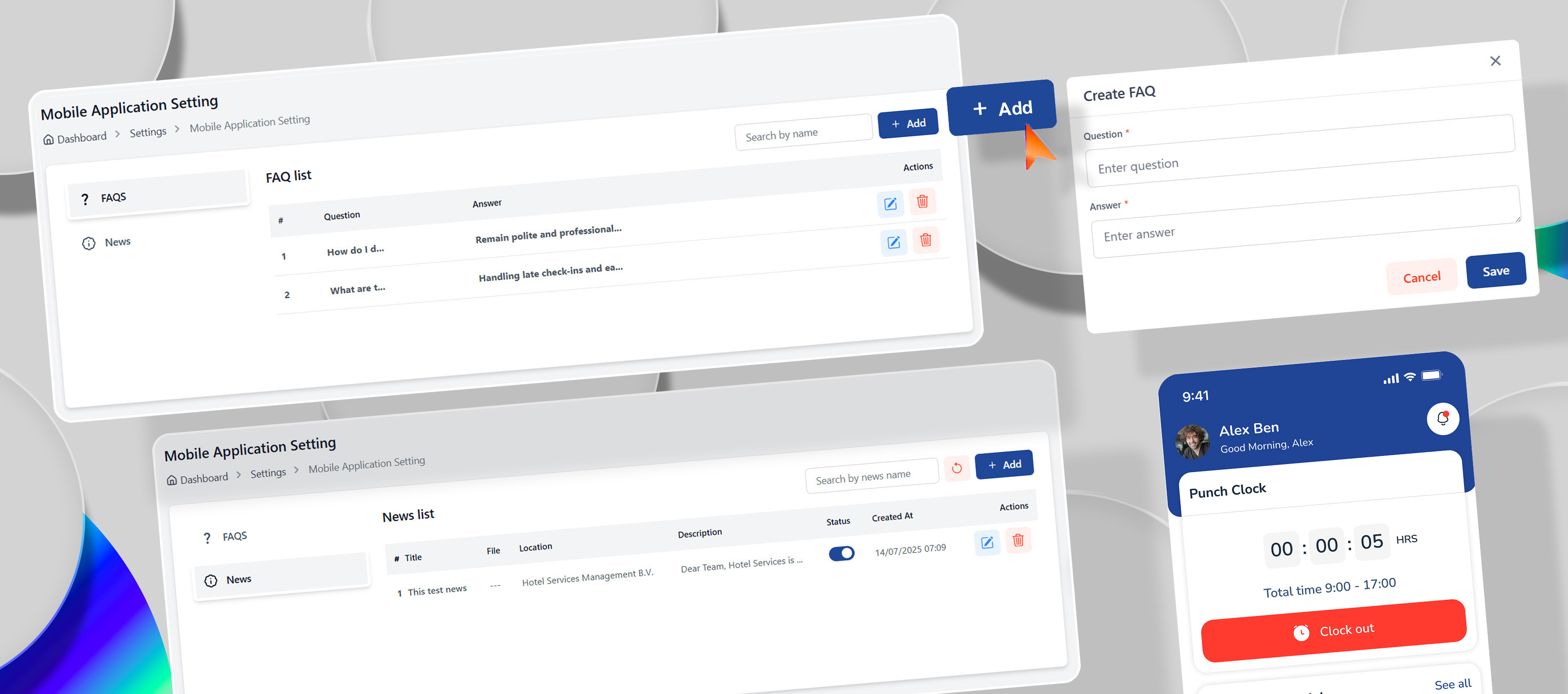
Beheer Van Mobiele Applicaties
Qhub360 Mobile Application Management Gives Businesses Full Control Over How Teams Use The Mobile App. Managers Can Manage Access, Roles, And Features While Ensuring Employees Always Have The Right Tools On Their Phones. It Helps Keep Usage Consistent, Secure, And Aligned With Daily Operations Across The Workforce.
Meer Informatie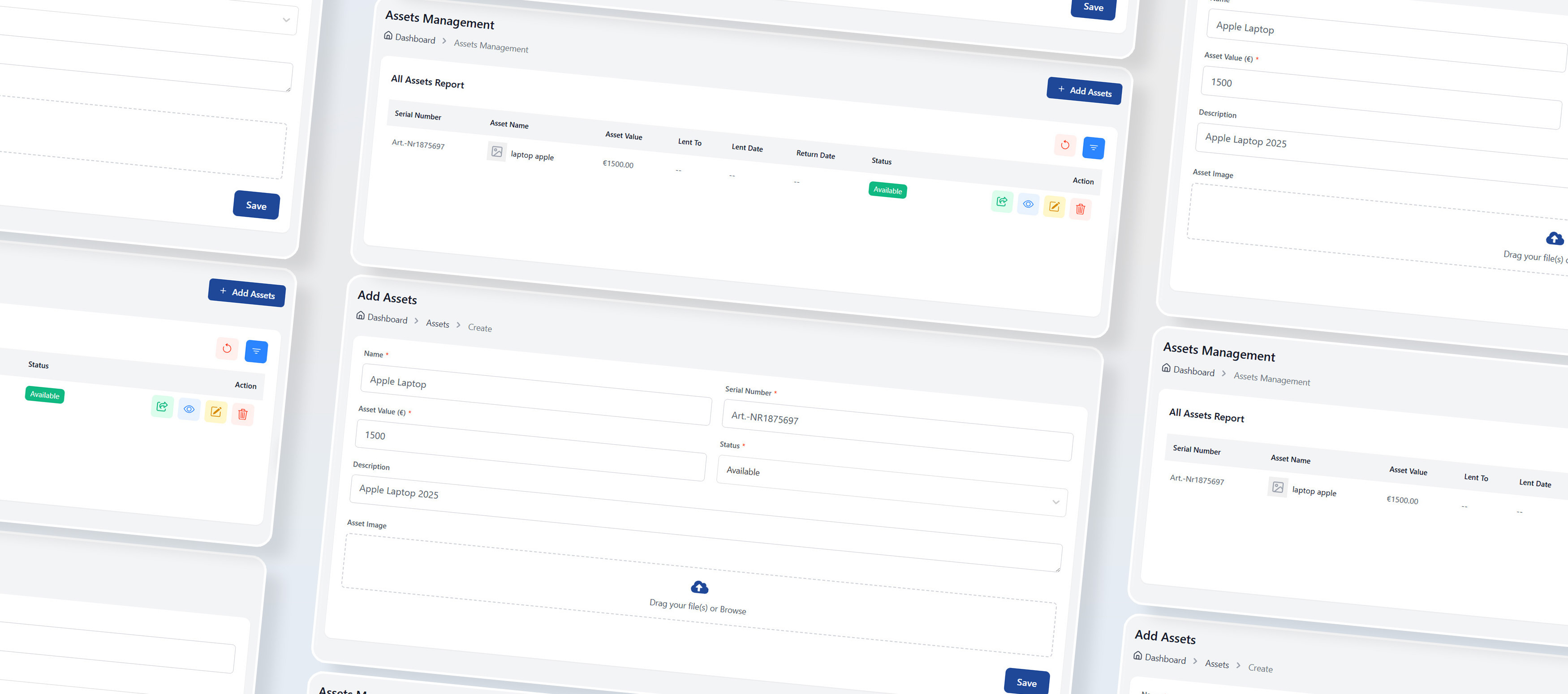
Vermogensbeheer
Qhub360 Asset Management Helps Businesses Track And Manage Company Assets In One Organized System. From Equipment And Tools To Devices And Uniforms, Everything Is Assigned, Monitored, And Easy To Review. It Reduces Loss, Improves Accountability, And Gives Managers Clear Visibility Into Where Assets Are And Who Is Responsible For Them.
Meer Informatie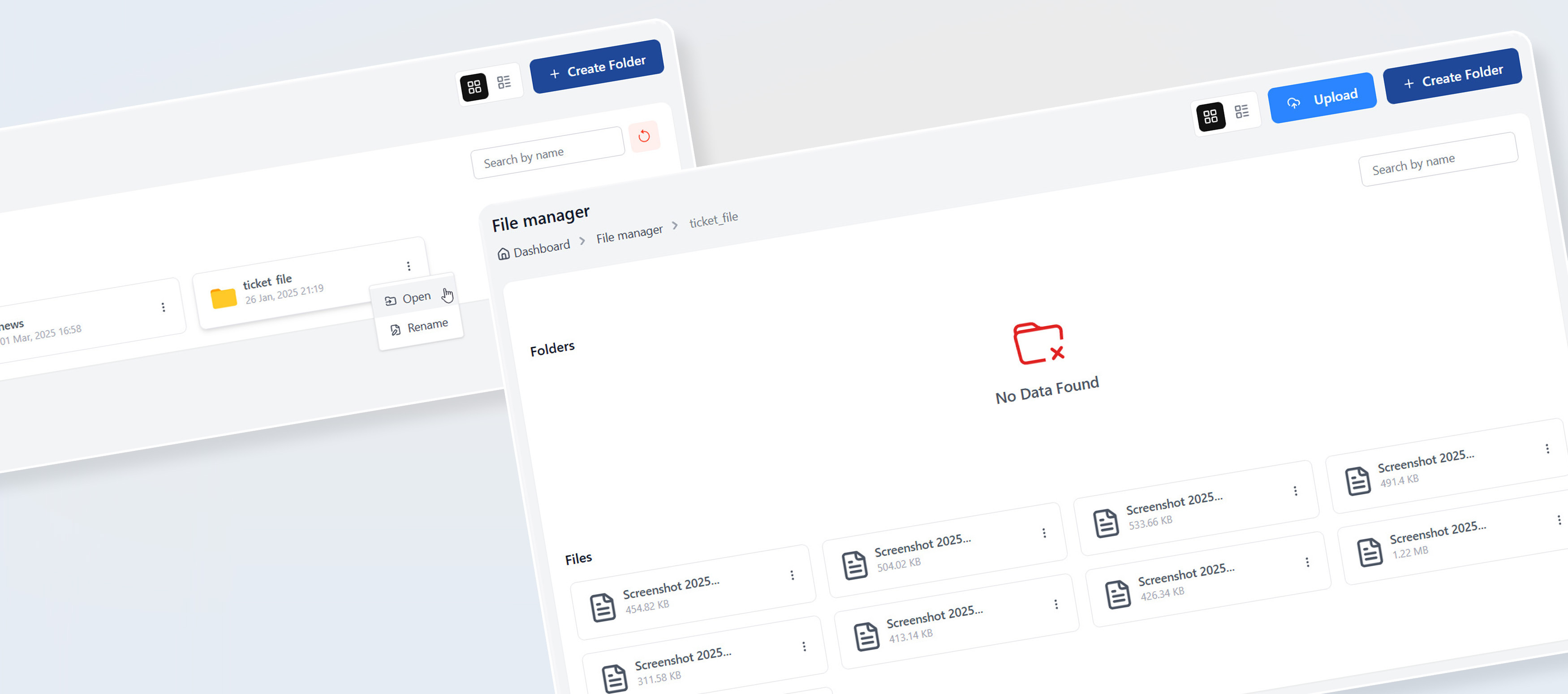
Medewerker Dossierbeheerder
Qhub360 Employee File Manager Provides A Secure And Organized Way To Store, Manage, And Access Employee Documents In One Central Place. From Contracts And IDs To Certificates And Records, Everything Stays Structured And Easy To Find. Managers Save Time, Employees Stay Informed, And Sensitive Files Remain Protected With Controlled Access.
Meer InformatieHeeft U Vragen? We Hebben Antwoorden
Antwoorden Op De Meest Voorkomende Dingen Die Mensen Willen Weten
1 Hoe Lang Duurt Het Om Qhub360 In Te Stellen?
2 Hebben We Training Nodig Om Qhub360 Te Gebruiken?
3 Kan Qhub360 Spreadsheets En Handmatige Urenstaten Vervangen?
4 Welke Problemen Lost Qhub360 Op Die Andere Tools Niet Oplossen?
5 Wat Gebeurt Er Als Een Medewerker Vergeet In- Of Uit Te Klokken?
6 Kan Qhub360 Omgaan Met Plotselinge Afwezigheden Of Ploegwisselingen?
7 Ondersteunt Qhub360 Parttime-, Nacht- En Roterende Diensten?
8 Kunnen Medewerkers Verlof Of Beschikbaarheidswijzigingen Aanvragen?
9 Ontvangen Medewerkers Meldingen Bij Ploegwijzigingen?
10 Wie Kan Werknemersgegevens Inzien Of Wijzigen?
11 Is Er Een Audittrail Voor Wijzigingen?
12 Waar Worden Gegevens Opgeslagen?
13 Kan Qhub360 Meegroeien Met Ons Bedrijf?
14 Kunnen We Qhub360 Voor Meerdere Klanten Of Contracten Gebruiken?
15 Kunnen We Ons Abonnement Op Elk Moment Annuleren Of Wijzigen?

Schrijf Je In Op Onze Nieuwsbrief En Mis Nooit Meer Een Update!
Voer Uw E-mailadres In Om Het Laatste Nieuws Te Ontvangen.
+